
You rely on your devices every day, and keeping them running smoothly is essential. But have you ever wondered what actually happens when your phone or computer prompts you for a software update?
Understanding your software update policy can save you from unexpected interruptions and security risks. You’ll discover how updates work, why they’re crucial for your device’s health, and what you need to know to manage them confidently. Stick with us to unlock the secrets behind those seemingly simple update notifications—and learn how to make them work for you.
Update Basics
Understanding the basics of software updates is essential for every user. Updates improve your device’s performance, fix bugs, and add new features. They keep your software safe and efficient. This section explains how updates work, their types, and the phases they go through.
How Updates Work
Software updates start when developers create new code. This code fixes problems or adds features. Your device checks the developer’s server for updates. If an update is available, it downloads the files. After downloading, the device installs the new files. Sometimes, the device restarts to apply changes. This process helps keep your software current and secure.
Types Of Updates
There are several update types. Security updates fix vulnerabilities to protect your device. Bug fixes resolve errors that slow down or crash your device. Feature updates add new tools or improve existing ones. Some updates combine these types. Regular updates keep your device stable and safe.
Update Phases
Updates have three main phases: detection, download, and installation. Detection is when your device checks for new updates. During download, your device saves the update files. Installation replaces old files with new ones. You may use your device during download. But not during installation. Installation often requires a restart to finish.

Credit: googlesystem.blogspot.com
Business Benefits
Implementing a clear software update policy brings many benefits to businesses. Regular updates keep systems secure and efficient. They also introduce new tools that improve work processes. Staying compatible with other software and devices avoids disruptions. These advantages help companies save time and reduce risks.
Security Improvements
Software updates fix security problems found in older versions. They close gaps hackers might use to access your data. Keeping software current protects sensitive business information. This reduces the chance of costly data breaches and downtime.
Performance Boosts
Updates often improve how software runs on devices. They fix bugs that slow down programs or cause crashes. Faster software means employees work without interruptions. This increases productivity and keeps projects on track.
New Features
Updates add new tools and options to software. These features can simplify tasks and improve results. Businesses can use the latest technology to stay competitive. New functions also help meet changing customer needs.
Compatibility Assurance
Software updates keep programs compatible with other tools. They ensure smooth communication between different systems. This prevents errors and lost data. Compatibility helps maintain efficient workflows across the company.
Update Policies
Update policies guide how software updates are handled on your devices. They ensure devices stay secure and run smoothly. Clear update policies help avoid interruptions and data loss. These policies cover how updates are applied, when they occur, and what users can do during updates.
Automatic Vs Manual Updates
Automatic updates happen without user action. Devices check for updates and install them on their own. This keeps software current and secure with little effort. Manual updates require users to start the process. Users decide when to download and install updates. This gives control but risks missing important patches.
Scheduling Updates
Scheduling updates lets you pick a convenient time for installation. Updates often happen during off-hours to avoid disruption. Some systems allow setting specific days and times for updates. Proper scheduling reduces downtime and keeps work flowing smoothly.
User Access During Updates
Access during updates varies by device and update phase. During download, most devices remain fully usable. Users can continue calls, messages, and app use. During installation, access often locks to avoid errors. Some devices show progress but block other actions until done.

Credit: www.geeky-gadgets.com
Managing Risks
Managing risks is a key part of any software update policy. Updates fix problems but can also cause new issues. Careful planning helps avoid downtime and data loss. A good risk management plan keeps systems safe and working well.
Potential Issues Without Updates
Skipping updates leaves software open to bugs and security risks. Hackers can exploit old weaknesses. Performance may slow down or crash. New features stay unavailable. Systems become unstable and unreliable. Regular updates reduce these dangers.
Backup Strategies
Backing up data protects against loss during updates. Save important files before installing changes. Use cloud storage or external drives. Backups allow quick recovery from errors. Always verify backup completeness. This step is a safety net.
Testing Updates Before Deployment
Test updates on a small group or device first. Check for bugs and conflicts with other software. Monitor system behavior carefully. Identify problems early to avoid large-scale failures. Testing ensures smooth, safe updates across all devices.
Implementation Tips
Implementing a software update policy requires careful planning and clear steps. Proper execution ensures updates run smoothly. It also minimizes disruptions and keeps systems secure.
Communicating With Staff
Inform staff about update schedules clearly and early. Explain why updates are important for security and performance. Use simple language to avoid confusion. Remind employees to save their work before updates start. Provide instructions on what to expect during the update process.
Using Update Tools
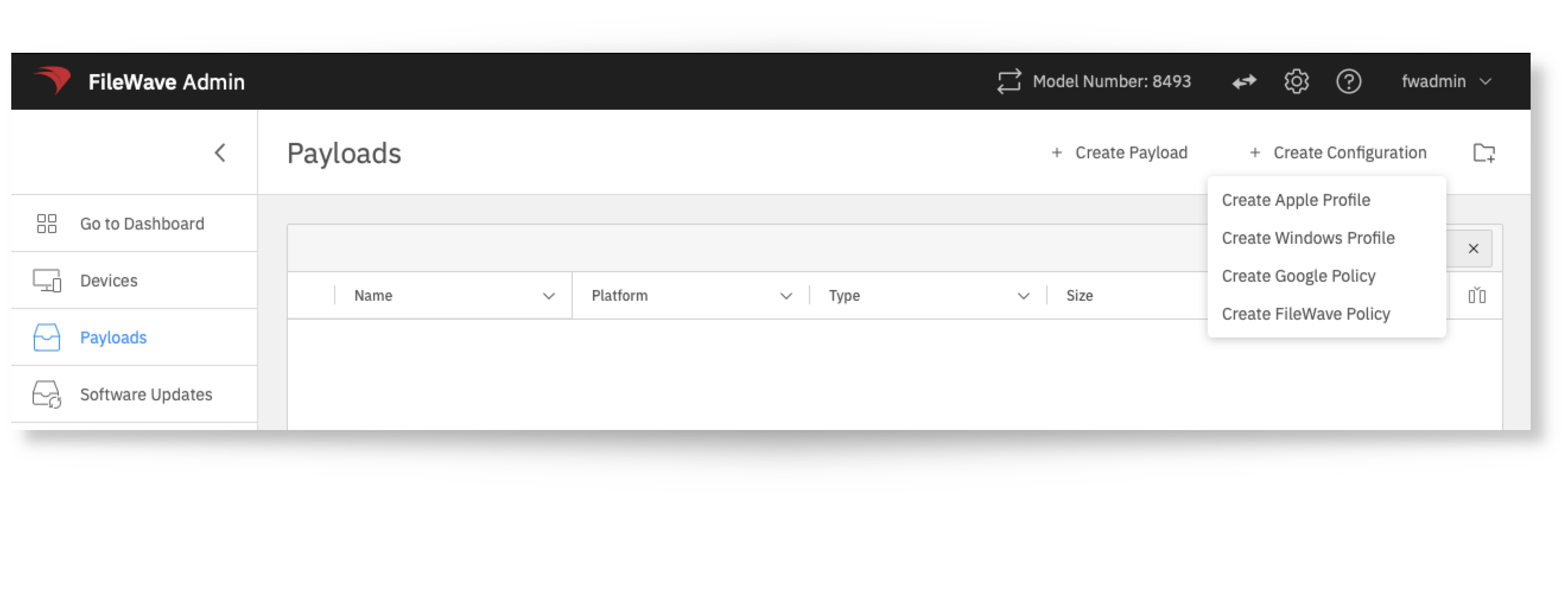
Choose reliable update tools to automate the process. Tools can schedule updates outside of work hours. They reduce manual errors and save time. Make sure tools support your devices and software versions. Test tools on a small group before full deployment to catch issues early.
Monitoring Update Success
Track update progress in real time to spot problems quickly. Use dashboards or reports provided by update tools. Check for failed updates and resolve them immediately. Collect feedback from users about update performance. Regular monitoring helps keep software up to date and secure.
Credit: kb.filewave.com
Frequently Asked Questions
Can You Still Use Your Phone During A Software Update?
You can use your phone while the update downloads, but you cannot use it during the installation phase. Installation requires the device to pause normal functions.
What Happens If You Don’t Do A Software Update On An Iphone?
Skipping iPhone software updates risks security breaches, slower performance, app incompatibility, and missing new features. Updates keep your device secure and efficient.
How Does A Software Update Work?
A software update downloads new code to fix bugs, enhance security, or add features. Your device checks servers, installs files, and may restart to apply changes. This process keeps software current, secure, and efficient. Updates can be automatic or manual, ensuring optimal device performance and compatibility.
Why Am I Getting A Software Update Notification?
You receive a software update notification because your device detects new patches or features. Updates improve security, fix bugs, enhance performance, and add functionality. Installing updates keeps your device safe, compatible, and running smoothly. Notifications prompt you to download and install these essential improvements.
Conclusion
Understanding a software update policy helps keep devices secure and efficient. Regular updates fix bugs and add useful features. Skipping updates may cause slower performance and security risks. Downloading happens in the background, so you can still use your device.
During installation, pause using the device until it finishes. Following update guidelines protects your data and improves user experience. Staying informed about updates ensures your software runs smoothly. Keep your devices up to date for the best results. Simple steps lead to safer and better technology use.