
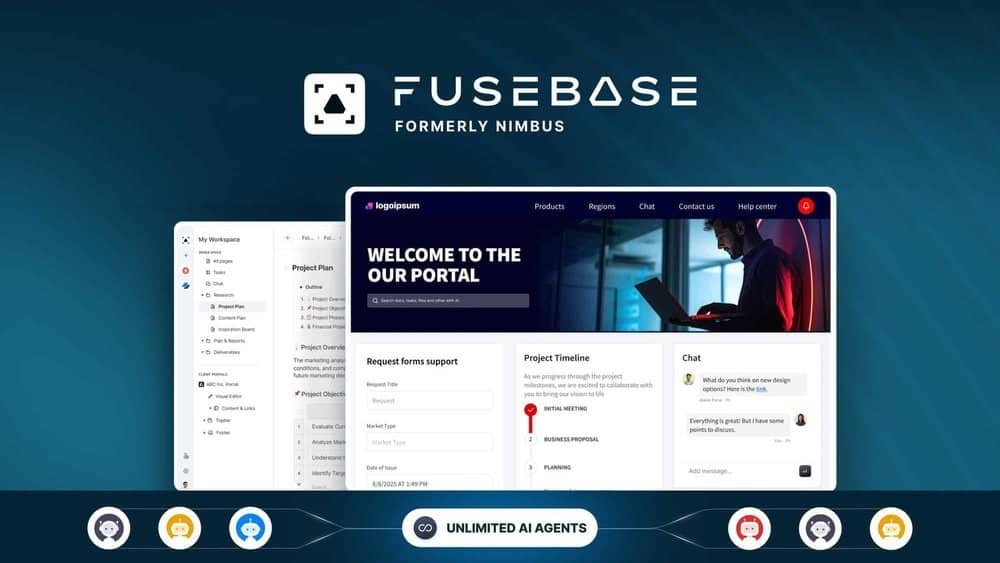
Looking for a smarter way to manage your client projects and team workflows all in one place? FuseBase Lifetime Deal might be exactly what you need.
Imagine having a powerful AI-driven platform that combines your internal project management with sleek, branded client portals—making collaboration smoother, faster, and more professional. Whether you’re an agency, consultant, or solopreneur, FuseBase helps you cut through the clutter of emails and scattered tools by bringing everything under one roof. Ready to see how FuseBase can transform your operations and boost your client experience? Check out the full details and grab the deal here: FuseBase Lifetime Deal. Don’t miss out on streamlining your work and impressing your clients with ease!
Introduction To Fusebase Lifetime Deal
FuseBase offers a unique solution for professional service businesses. It combines project management with client collaboration in one platform. The Lifetime Deal makes this powerful tool affordable and accessible. Here is an overview of what FuseBase is, its lifetime deal offer, and who will find it useful.
What Is Fusebase And Its Purpose
FuseBase, formerly known as Nimbus, is an AI-powered collaboration platform. It helps businesses manage internal projects and interact with clients smoothly. The platform creates branded client portals for easy access to files, feedback, and project tracking.
Its key features include:
- Client portals that act like mini-websites
- Document building tools
- Knowledge bases for storing important information
- Automation to reduce repetitive tasks
The purpose of FuseBase is to centralize work and client communication. This reduces confusion and speeds up onboarding and deal management.
Overview Of The Lifetime Deal Offer
The FuseBase Lifetime Deal gives permanent access to the platform for a one-time fee. This offer provides full use without monthly charges. It is designed to help users save money over time.
| Feature | Benefit |
|---|---|
| Unlimited Client Portals | Manage many clients in one place |
| Access to Automation | Save time on routine tasks |
| Document Building | Create and share important documents easily |
| Knowledge Bases | Keep all critical info organized |
This deal is ideal for small to medium businesses wanting efficient tools without ongoing costs.
Who Can Benefit From Fusebase
FuseBase suits professional service businesses that need client collaboration and project management. It works well for:
- Consultants managing multiple clients
- Agencies handling complex projects
- Freelancers needing organized workflows
- Teams aiming to improve client communication
The platform supports teams of any size who want a simple, branded workspace. It helps users keep clients informed and projects on track.

Credit: www.youtube.com
Key Features That Make Fusebase Unique
FuseBase blends AI technology with project management to simplify work for professional service businesses. It unites client interaction, project tracking, and document handling in one branded workspace. This all-in-one hub boosts efficiency and keeps teams and clients aligned.
Ai-powered Client Portals For Seamless Interaction
FuseBase offers custom client portals that provide smooth communication and collaboration. These portals are easy to brand, giving your clients a professional experience.
- Secure, personalized access for clients
- Real-time updates and messaging
- Central hub for all client-related files and tasks
This feature reduces email clutter and speeds up response times.
Integrated Project Management With Kanban Boards
Stay organized with FuseBase’s Kanban boards. Visual task management helps teams track progress clearly.
- Drag-and-drop task movement
- Customizable columns to fit workflows
- Task assignments and deadlines
Kanban boards make it easy to spot bottlenecks and keep projects moving.
Intelligent Ai Agents For Automation And Lead Generation
FuseBase uses AI agents to automate repetitive tasks and help find new leads.
- Automate follow-ups and reminders
- Generate leads by analyzing client data
- Enhance productivity by reducing manual work
This smart automation lets teams focus on high-value work.
Comprehensive Knowledge Bases For Easy Information Access
Create and share knowledge bases to store important information in one place.
- Organize FAQs, guides, and templates
- Easy search and navigation
- Accessible to both team members and clients
Knowledge bases speed up onboarding and reduce support questions.
Deal Rooms For Streamlined Sales And Proposals
Deal rooms provide a focused space for managing sales and proposals.
- Track deal progress and client feedback
- Share proposals and contracts securely
- Collaborate with clients in real time
This keeps sales organized and improves client trust.
Document Builder And Real-time Collaboration Tools
FuseBase includes a document builder with live collaboration features.
- Create contracts, proposals, and reports easily
- Multiple users can edit documents simultaneously
- Track changes and comment directly within files
These tools speed up document creation and improve team coordination.
Pricing And Affordability Breakdown
FuseBase offers a pricing structure focused on value and simplicity. Its Lifetime Deal provides a one-time payment option that eliminates recurring fees. This section breaks down the pricing details, compares FuseBase to subscription models, and highlights cost benefits for agencies, consultants, and teams.
Details Of The Lifetime Deal Pricing
The Lifetime Deal for FuseBase is a single payment that grants permanent access to the platform. This deal includes:
- Full access to all core features
- Client portals with white-label branding
- Unlimited projects and document creation
- Automation and knowledge base tools
This pricing removes the need for monthly or annual fees. Users pay once and use FuseBase indefinitely.
Comparison With Subscription-based Models
| Feature | FuseBase Lifetime Deal | Typical Subscription Model |
|---|---|---|
| Payment Frequency | One-time payment | Monthly or annual fees |
| Cost Over 2 Years | Fixed upfront cost | Higher total cost due to recurring fees |
| Access | Permanent access | Access ends if subscription stops |
| Upgrades & Support | Included for life | Included while subscribed |
The lifetime deal offers a fixed price, making budgeting easier. Subscription models can add up and become costly over time.
Cost Benefits For Agencies, Consultants, And Teams
Agencies and consultants benefit from FuseBase’s lifetime deal in several ways:
- Lower Long-Term Costs: One payment avoids ongoing fees.
- Scalable Access: Unlimited projects support team growth without extra charges.
- Professional Client Portals: White-labeled portals enhance client experience without added costs.
Teams can manage multiple clients and projects in a single platform. This reduces the need for multiple software tools and subscriptions.
Saving money on software means more budget for client work and business growth.
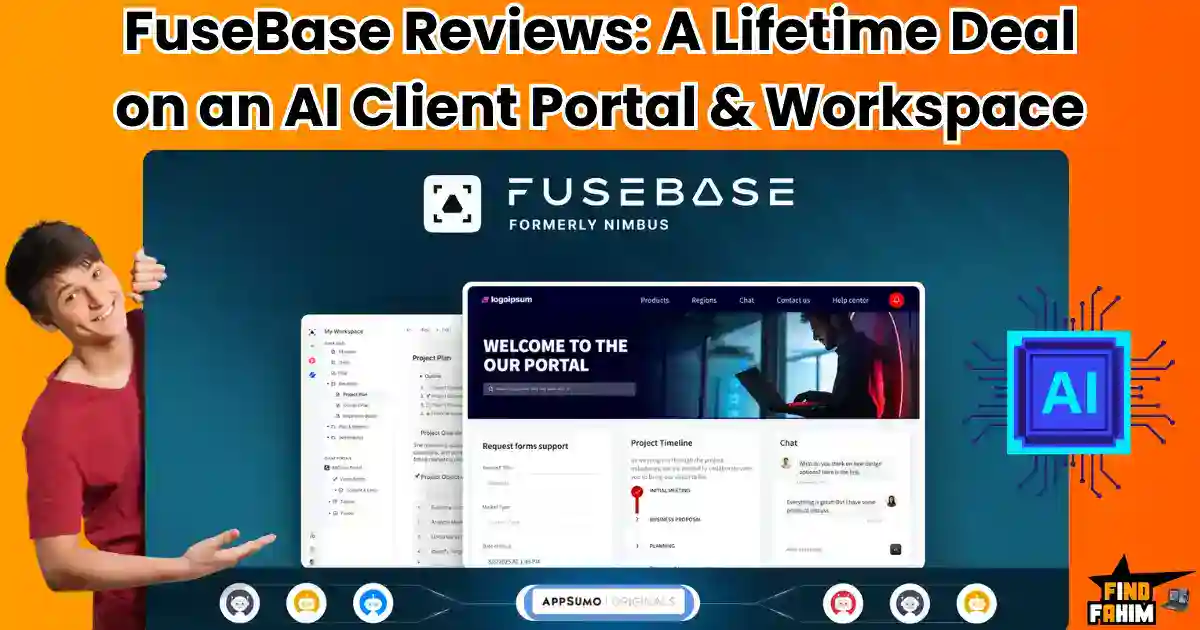
Credit: findfahim.com
Pros And Cons Based On Real-world Usage
Assessing FuseBase from actual user experience reveals its strengths and weaknesses. Understanding these points helps businesses decide if it fits their workflow. This section breaks down the key advantages, potential drawbacks, and real user feedback.
Advantages Of Using Fusebase For Client Collaboration
- Centralized Workspace: Combines project management and client portals in one platform.
- Branded Client Portals: Enables creation of white-labeled mini-websites for clients.
- Seamless Communication: Facilitates smooth interaction between teams and clients.
- Document Building: Provides tools to create and share documents easily.
- Knowledge Base Integration: Stores important information accessible to clients and teams.
- Automation Features: Automates repetitive tasks to save time.
- AI-Powered Assistance: Enhances productivity by streamlining workflows.
Potential Limitations And Areas For Improvement
Some users report a learning curve due to FuseBase’s many features. Simplifying the interface could help new users adapt faster.
Integration options with other popular tools remain limited, affecting workflow flexibility.
Mobile app performance can be inconsistent, impacting users who work on the go.
Occasional delays in loading complex client portals have been noted.
| Limitation | Impact | Suggested Improvement |
|---|---|---|
| Steep learning curve | Slower onboarding | More tutorials and simpler UI |
| Limited third-party integrations | Reduced workflow flexibility | Add popular app integrations |
| Mobile app issues | Inconsistent access on mobile | Enhance app stability and speed |
| Slow loading client portals | Client frustration | Optimize portal performance |
User Feedback And Performance Insights
Users appreciate FuseBase for improving client communication and project clarity.
Many highlight the time saved by using automation and centralized information.
Some users mention occasional bugs but note that customer support is responsive.
Performance is generally smooth on desktop but varies on mobile devices.
Overall, FuseBase helps teams stay organized and clients stay informed.
Specific Recommendations For Ideal Users And Scenarios
FuseBase suits a variety of users focused on streamlining operations and enhancing client collaboration. It blends internal project management with client portals. This makes it ideal for professionals who need a single platform for managing projects, clients, and documents. The tool’s AI features help automate tasks and keep workflows smooth.
Below are detailed recommendations for who benefits most from FuseBase and in what situations.
Best Use Cases For Agencies And Professional Services
Agencies and professional service firms gain from FuseBase’s client-facing portals and branded workspaces. These features help present a professional image and improve client communication.
- Client Onboarding: Use automated workflows to guide clients through the onboarding process efficiently.
- Project Collaboration: Share documents, updates, and timelines in one place with both internal teams and clients.
- Knowledge Management: Build internal knowledge bases to reduce repetitive questions and speed up training.
FuseBase centralizes all client interactions and project details, reducing email overload and confusion.
How Solopreneurs And Small Teams Can Maximize Value
Solopreneurs and small teams benefit from FuseBase’s all-in-one workspace. It simplifies managing projects and client communication without juggling many tools.
- Client Portals: Create personalized spaces for clients to access deliverables and updates.
- Automation: Save time by automating routine tasks like follow-ups and document sharing.
- Document Building: Quickly create proposals, contracts, and reports within the platform.
This setup reduces overhead and improves professionalism, even for very small teams.
When To Choose Fusebase Over Other Collaboration Tools
Choose FuseBase if your work needs both internal project management and client-facing interaction on one platform. It fits best when:
- You want branded client portals to maintain a consistent business image.
- You require seamless onboarding combined with project tracking and document management.
- You need AI-powered automation to reduce manual work and speed up processes.
- You want to avoid switching between multiple apps for project management, client communication, and document sharing.
FuseBase stands out by combining these features under one roof, unlike typical tools focusing on only one aspect.
Credit: dealmango.com
How Fusebase Enhances Workflow And Client Experience
FuseBase simplifies work processes by uniting project management and client communication. This AI-powered platform helps teams stay organized and clients feel involved. It offers a single space for managing tasks, sharing documents, and onboarding clients. The result is faster work, clearer communication, and a more professional client experience.
Unifying Internal Project Management With Client-facing Portals
FuseBase combines internal task tracking with portals clients can access. This setup keeps everyone on the same page.
- Internal teams manage projects, deadlines, and documents.
- Clients view progress, provide feedback, and access resources.
This fusion reduces confusion and speeds up project delivery.
Reducing Reliance On Disorganized Communication Tools
FuseBase replaces scattered emails and chats with one clear platform.
- All messages and files stay organized within specific projects.
- AI features help automate updates and reminders.
- Teams spend less time searching for information.
Workflows become smoother and less stressful.
Creating Branded Workspaces For A Professional Touch
FuseBase allows businesses to build branded portals and workspaces.
- Customize colors, logos, and layouts to match your brand.
- Clients experience a consistent, professional look.
- Branded spaces improve trust and client satisfaction.
This polished presentation supports stronger client relationships.
Getting Started With Fusebase Lifetime Deal
FuseBase offers a smart, AI-powered platform designed for professional services. It blends internal project management with client-facing portals. This creates a simple and unified workspace. The FuseBase Lifetime Deal gives lasting access to this tool, helping teams and clients work together smoothly.
Starting with FuseBase means setting up your workspace, inviting clients and teams, and using AI features to improve daily tasks. Below are steps to begin easily and effectively.
Setting Up Your Fusebase Workspace
Begin by creating your branded workspace. This acts as your central hub for projects and communication.
- Create a workspace: Use your company name and logo for a professional look.
- Organize projects: Set up folders and pages for each client or task.
- Customize portals: Build client portals that act like mini-websites with access to files and updates.
- Set permissions: Control who can view or edit each part of your workspace.
These steps prepare a clear, easy-to-navigate environment for your team and clients.
Onboarding Clients And Teams Efficiently
Invite clients and team members directly into your workspace. This keeps everyone connected and informed.
- Send invites: Use email to add clients and colleagues to specific portals.
- Provide training: Share simple guides or hold quick demos on how to use FuseBase.
- Set tasks: Assign roles and responsibilities to keep work organized.
- Use feedback: Collect input to improve collaboration and workflows.
Clear onboarding reduces confusion and speeds up project starts.
Tips For Leveraging Ai Features To Boost Productivity
FuseBase uses AI to automate and simplify routine work. Here are ways to use these tools well:
- Automate document building: Let AI create templates and draft reports faster.
- Use knowledge bases: Store FAQs and guides for quick reference by your team.
- Set reminders: Allow AI to prompt important deadlines or follow-ups.
- Analyze data: Use AI insights to understand project progress and client needs.
AI helps save time and focus on important tasks.
Frequently Asked Questions
Is Fuse Base Free?
FuseBase offers a free version with basic features and a free trial for premium plans. Paid plans provide advanced tools.
What Is Fusebase?
FuseBase is an AI-powered platform that unifies project management and client portals. It creates branded workspaces for seamless collaboration, deals, onboarding, document building, knowledge bases, and automation, helping professional service businesses streamline internal and client-facing tasks efficiently.
What Is Fusebase Lifetime Deal?
The FuseBase Lifetime Deal offers one-time payment access to FuseBase’s AI-powered collaboration platform. Users get lifetime use of client portals, project management, AI agents, and document building features, ideal for professional service businesses seeking streamlined workflows.
How Does Fusebase Improve Client Collaboration?
FuseBase creates branded client portals replacing scattered emails. It centralizes communication, files, and feedback, enhancing transparency and engagement. The platform merges internal project management with client-facing tools for seamless collaboration.
Conclusion
FuseBase offers a simple way to manage projects and clients. It combines many tools in one easy platform. You can create client portals, manage tasks, and use AI features. This helps teams stay organized and work faster. The lifetime deal gives lasting access without extra fees. Professionals like agencies and consultants find it very useful. Try FuseBase for smoother collaboration and better workflow. Check the deal here: FuseBase Lifetime Deal.